Rydger Guides
Use Storage Mode
Storage Mode pauses reminders driven by kilometres or engine hours while your vehicle is parked, but keeps real calendar obligations active. It also guides winterization and requires a fresh counter reading before normal reminders resume.
- Reviewed:
- 19 October 2026
- Applies to:
- Checked against Rydger 1.8; Storage Mode is a Pro feature
Before you start
- Rydger Pro is active and the vehicle is in your garage.
- Record the current odometer or hour-meter reading before parking the vehicle.
- Review upcoming date obligations such as insurance, inspection, registration, or annual service; Storage Mode does not pause them.
1. Enter Storage Mode
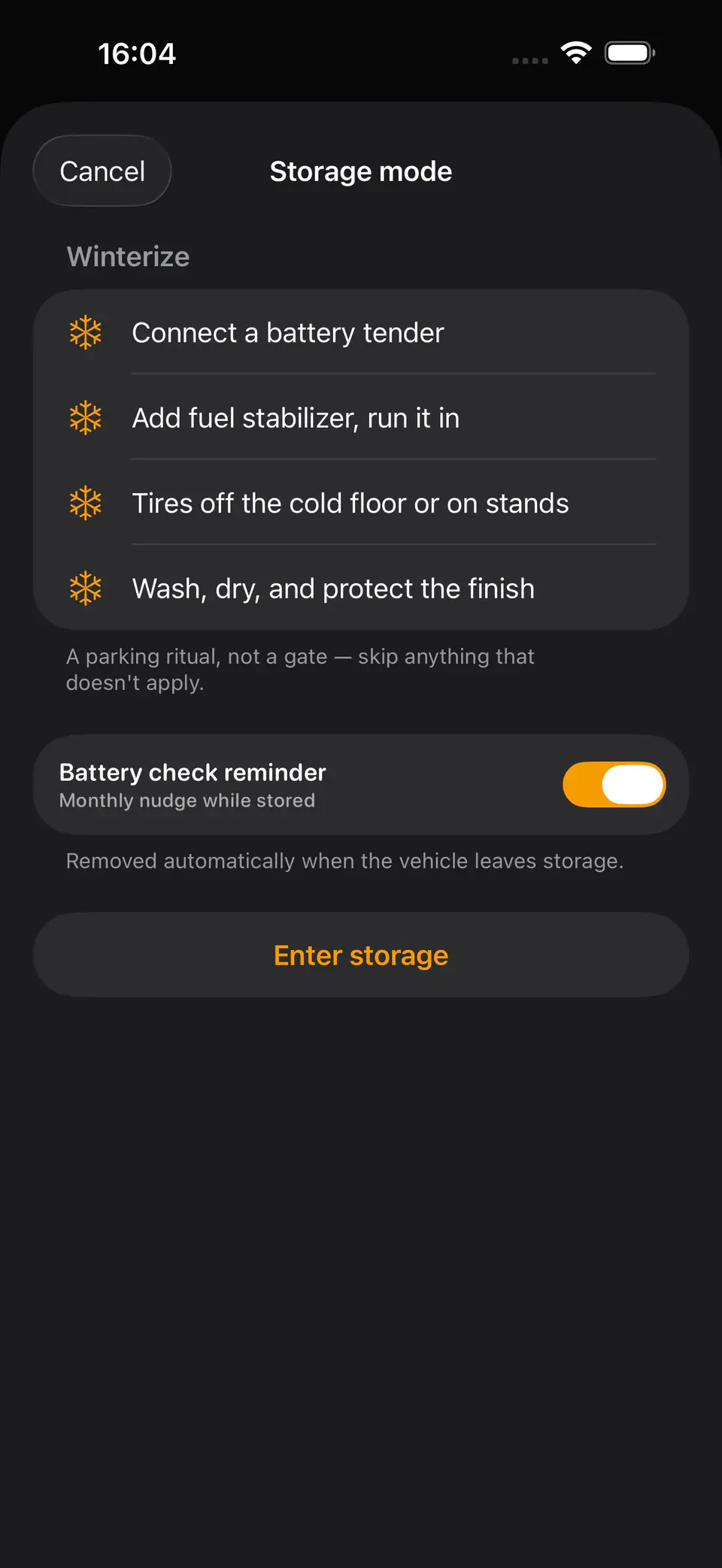
Open the vehicle in Rydger, tap More, then Storage Mode. The winterization checklist opens.
- Review the winterization checklist: connect a battery tender, add and circulate fuel stabilizer, protect the tires from a cold floor or use stands, and wash, dry, and protect the finish.
- Skip any checklist item that does not apply to your vehicle; the checklist is guidance, not a gate.
- Choose whether to add the monthly Battery check reminder. It is optional and exists only while the vehicle is stored.
- Tap Enter storage. Rydger records the date and shows the vehicle as in storage in the garage and vehicle detail.
Rydger records the storage state, not checklist completion. Follow the vehicle manufacturer's storage instructions where they differ.
2. Know which reminders continue
Storage stops wear, not time. Rydger evaluates each maintenance item by its own axis.
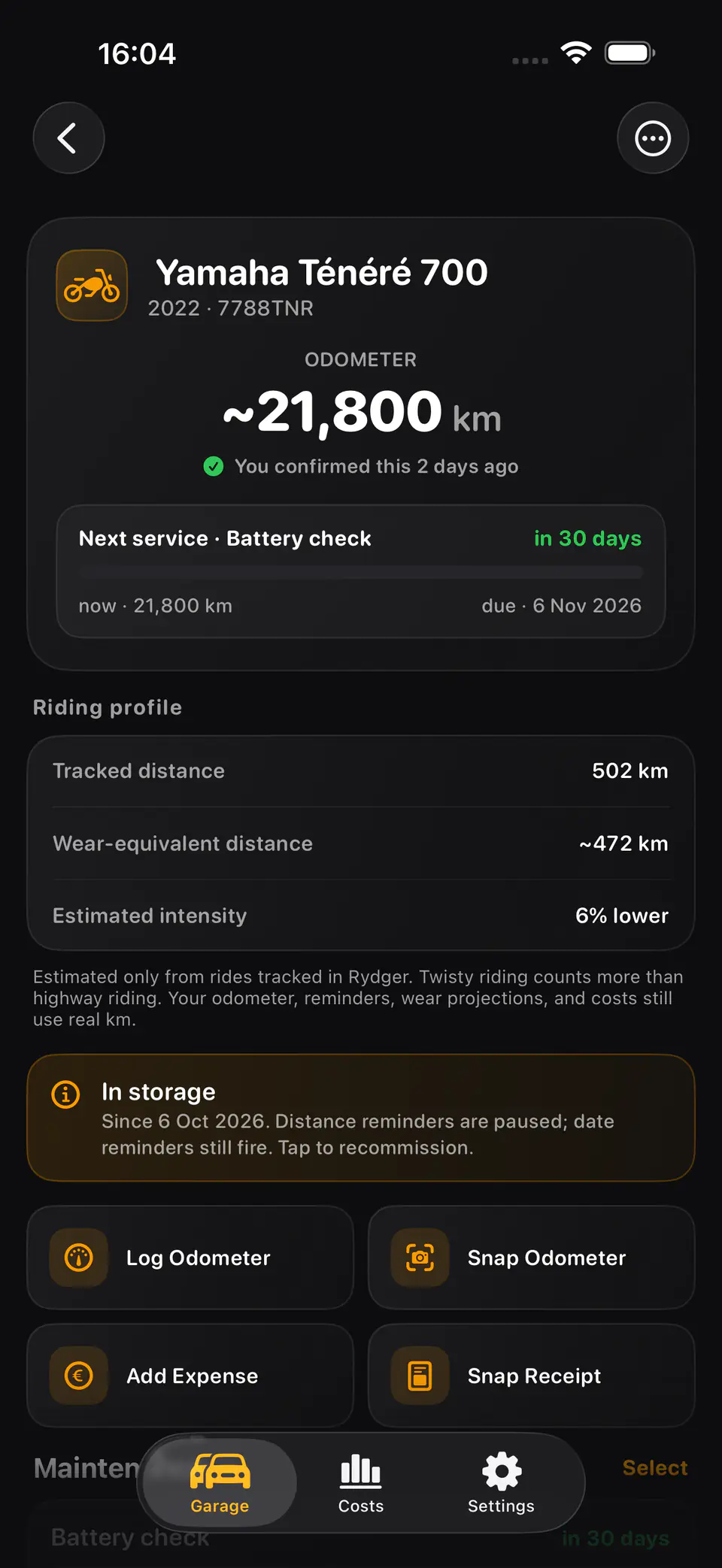
- Kilometre-based or engine-hour reminders are hidden from due lists and notifications while stored because the vehicle should not be accumulating wear.
- Date-based reminders continue normally. Insurance, ITV/MOT or inspection, registration, and explicit calendar dates can still become due.
- The optional Battery check is a monthly date-based reminder and continues during storage.
- Rydger does not rewrite maintenance anchors or mark work complete. Wear reminders keep their original history and return only after exit is confirmed.
If you actually drive or operate the vehicle, exit Storage Mode first so wear-based scheduling can reflect the new counter reading.
3. Care for the battery and vehicle
Use the storage period to prevent the failures that appear at recommissioning.
- Use the correct maintainer for the battery chemistry and follow the battery and vehicle manufacturers' instructions.
- When Battery check fires, inspect the maintainer connection, charge state, terminals, and the storage area for leaks or damage.
- Keep tires correctly supported and inflated, and avoid running an engine briefly unless the manufacturer recommends a full heat cycle.
- Continue to complete any calendar obligations that Rydger surfaces while the vehicle is parked.
A battery reminder is a prompt to inspect, not a substitute for safe charging practice or manufacturer guidance.
4. Recommission and exit
Wake the vehicle before Rydger resumes wear-based reminders.
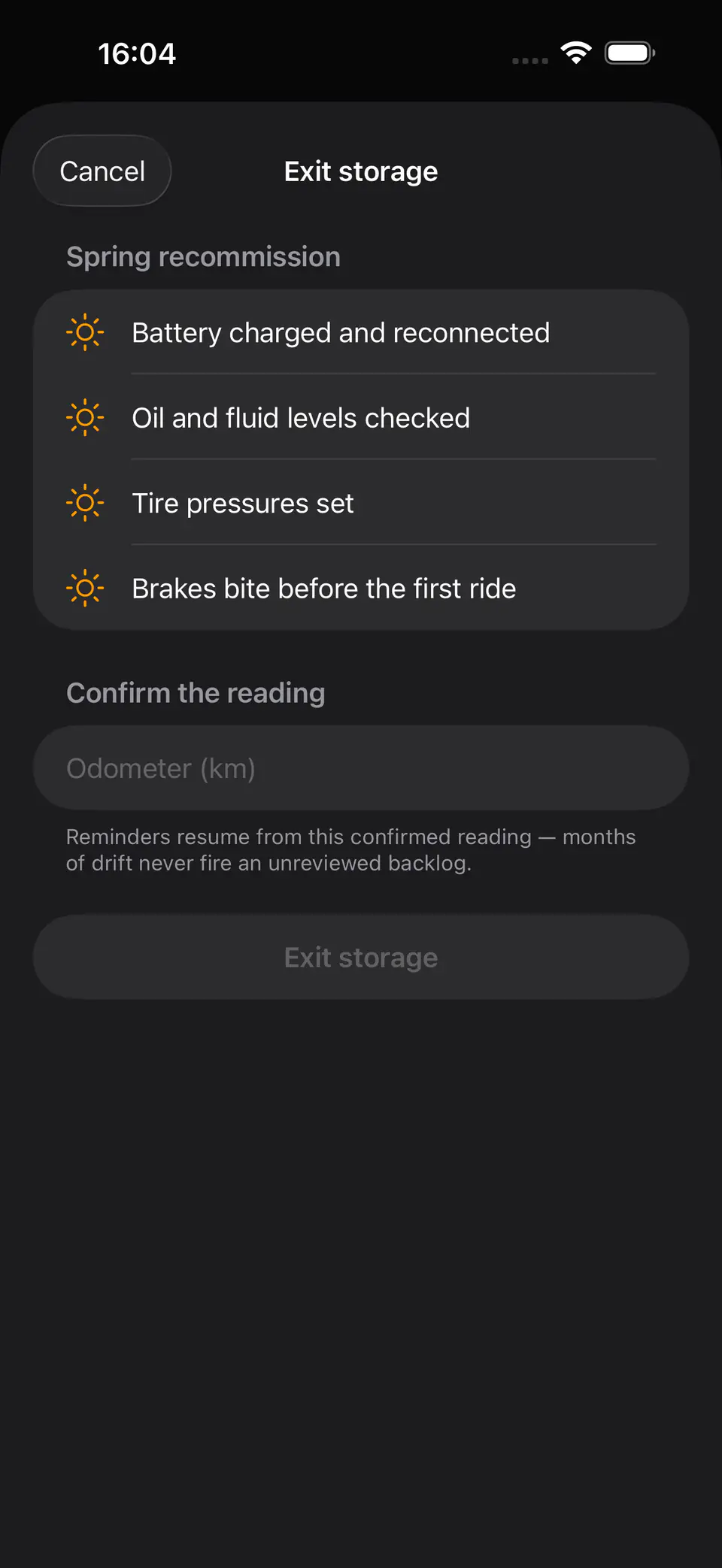
- Tap Exit Storage Mode and review the recommission checklist: reconnect a charged battery, check oil and fluid levels, set tire pressures, and verify that the brakes bite before the first ride.
- Enter the current odometer or hour-meter reading. This confirmation is required even if the value has not changed.
- Tap Exit storage. Rydger removes storage-only Battery check items and clears the stored state.
- Review the maintenance list. Wear reminders now calculate from the confirmed reading, so only genuinely due work appears.
The checklist can be skipped, but the counter confirmation cannot. This prevents months of counter drift from creating an unreviewed due-now burst.
Troubleshooting
A reminder still fired during storage
Check whether it is date-based. Calendar obligations intentionally remain active; only kilometre or engine-hour pressure pauses.
The Battery check reminder is unwanted
Leave the option off when entering storage, or remove the storage-only item. Rydger removes any remaining storage-only items automatically on exit.
Exit storage is disabled
Enter a valid current odometer or hour-meter value. Rydger cannot resume wear reminders until that reading is confirmed.
Wear reminders appeared after exit
They were not reset during storage. Compare each reminder with the confirmed counter and its existing service history; complete only work that is genuinely due.